 Length 0:51
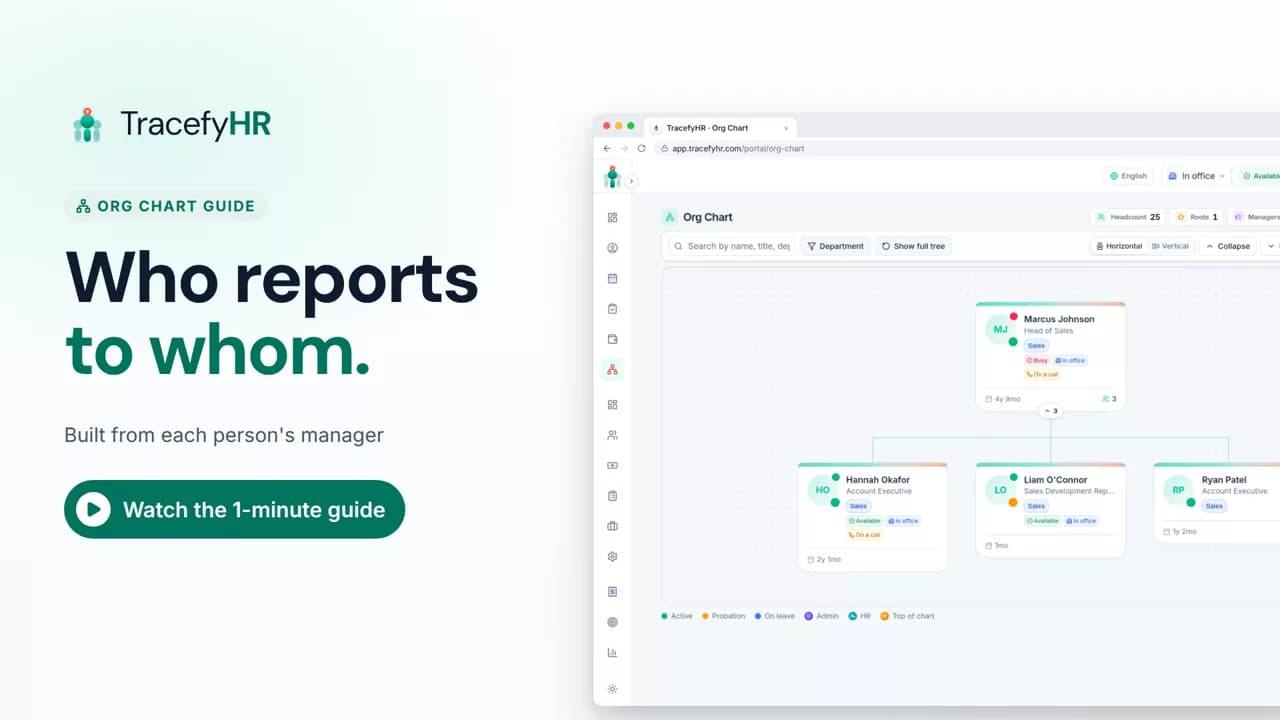
Org chart: who reports to whom
See how the TracefyHR org chart builds itself from each person's manager: search for anyone, focus on one team, switch layouts and keep salaries off the chart.
For managers, HR and employees
People keeps every employee profile and document in one place, so everyone works from the same up-to-date record. In this short video you find someone in seconds, add a new employee in about a minute, import a team from Excel, open a profile and archive someone who has left.
Prefer reading?
Adding employees
The same task in the user guide, step by step with screenshots.
Open the articleThe full narration of the video. Select a time to jump to that moment.
0:01Employee details spread across emails, folders and spreadsheets? Let's fix that.
0:07People is your team's single source of truth. Every profile and every document, in one place.
0:15Find anyone in seconds.
0:19Adding someone takes about a minute. Name, email, job title, salary and start date.
0:27Add them, and they get a welcome email with their own login.
Click Add Employee on the People page and fill in their name, email, job title, salary and start date. It takes about a minute, and the new employee gets a welcome email with their own login.
Yes. On the Bulk Import tab you download the template, fill it in and upload it, and TracefyHR checks the file before anyone is added. The import runs from a manager account.
They move to the Archived tab and their record stays. Their leave history and documents are kept, so nothing is lost.
Yes, their personal details. Employees fill in things like their address and emergency contact from their own portal, so HR doesn't have to type everything.
Length 0:51See how the TracefyHR org chart builds itself from each person's manager: search for anyone, focus on one team, switch layouts and keep salaries off the chart.
For managers, HR and employees
 Length 1:11
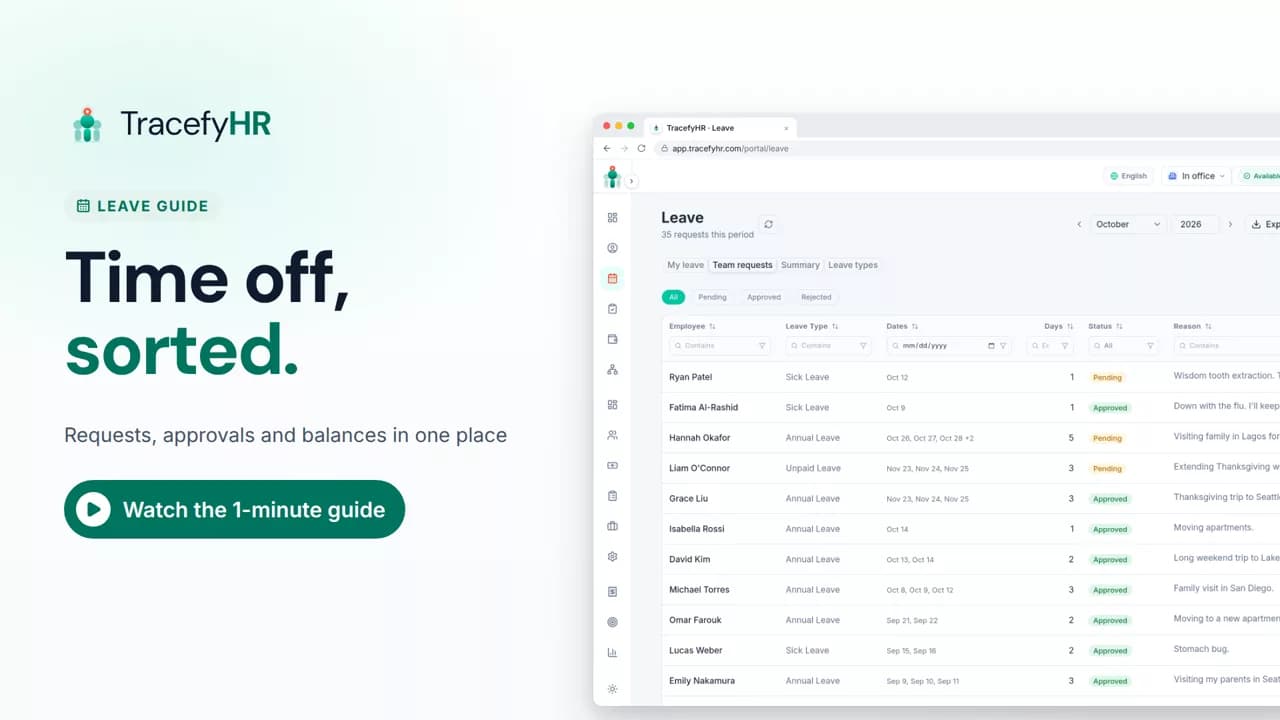
Watch how TracefyHR handles leave: employees request time off and see their balance, managers approve in one click, and requests export to Excel.
For managers and HR
 Length 1:14
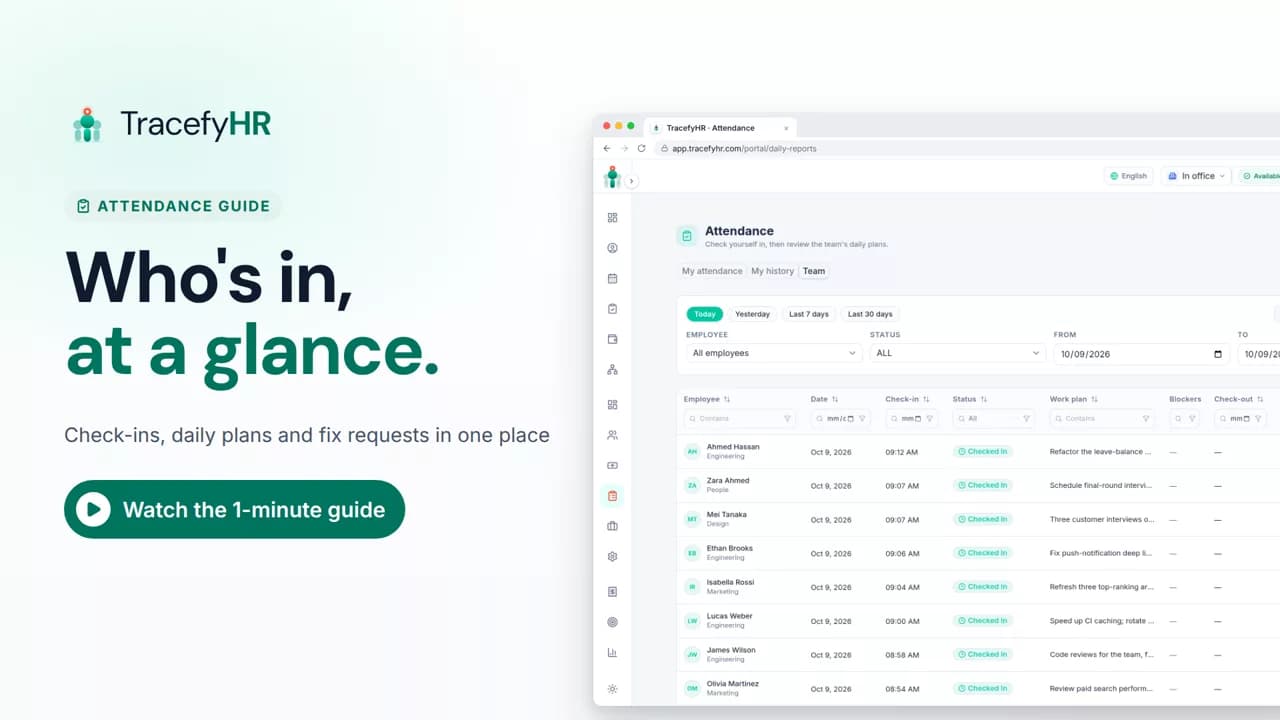
See how TracefyHR attendance works: staff check in on the web or mobile app with a daily plan, and managers see who is in, approve fixes and export to Excel.
For managers, HR and employees
Set up your company, invite your team, and see if TracefyHR fits. Free for 30 days — no credit card required, cancel any time.