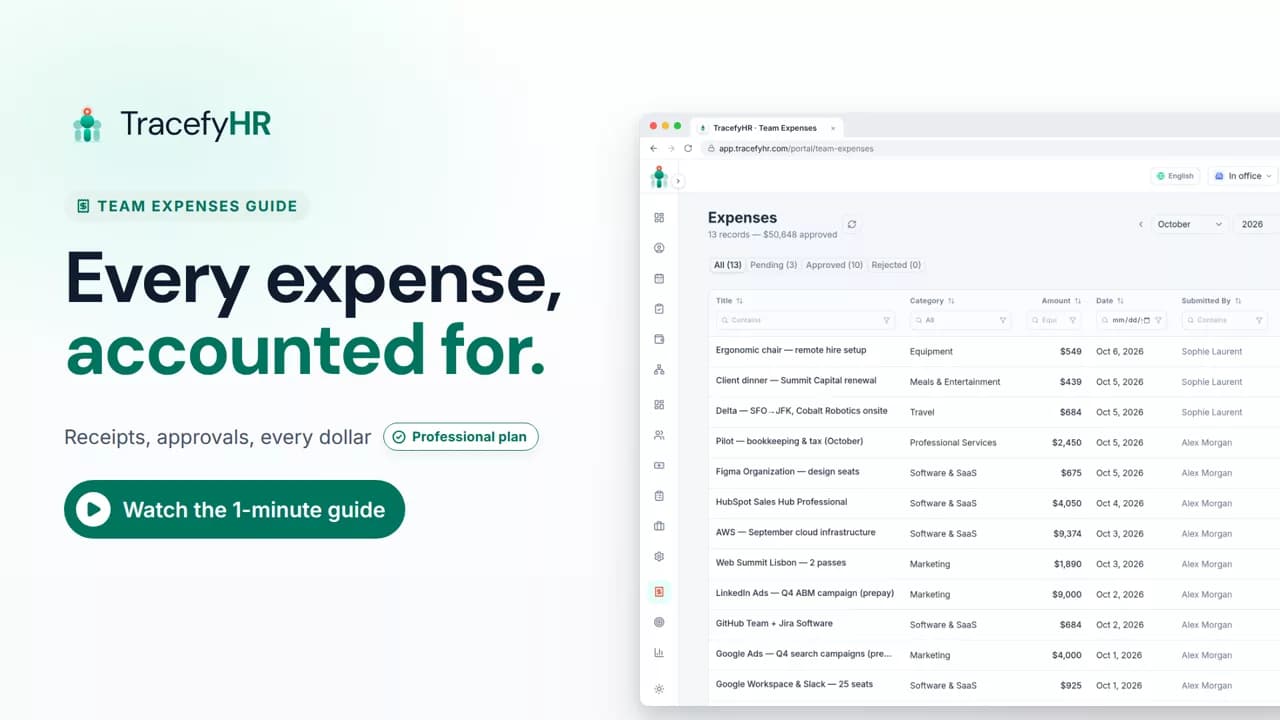
 Length 1:14
Professional plan
Team expenses: log, approve, track
See how TracefyHR Team Expenses works: log an expense with its receipt, approve or reject it in one click, export any month to Excel, and update your budget.
For managers and HR
Record every company expense with its receipt, approve it in one click, and watch spending against your yearly budget fill in from payroll and expenses.
30-day free trial · No credit card required · Flat from $20/month
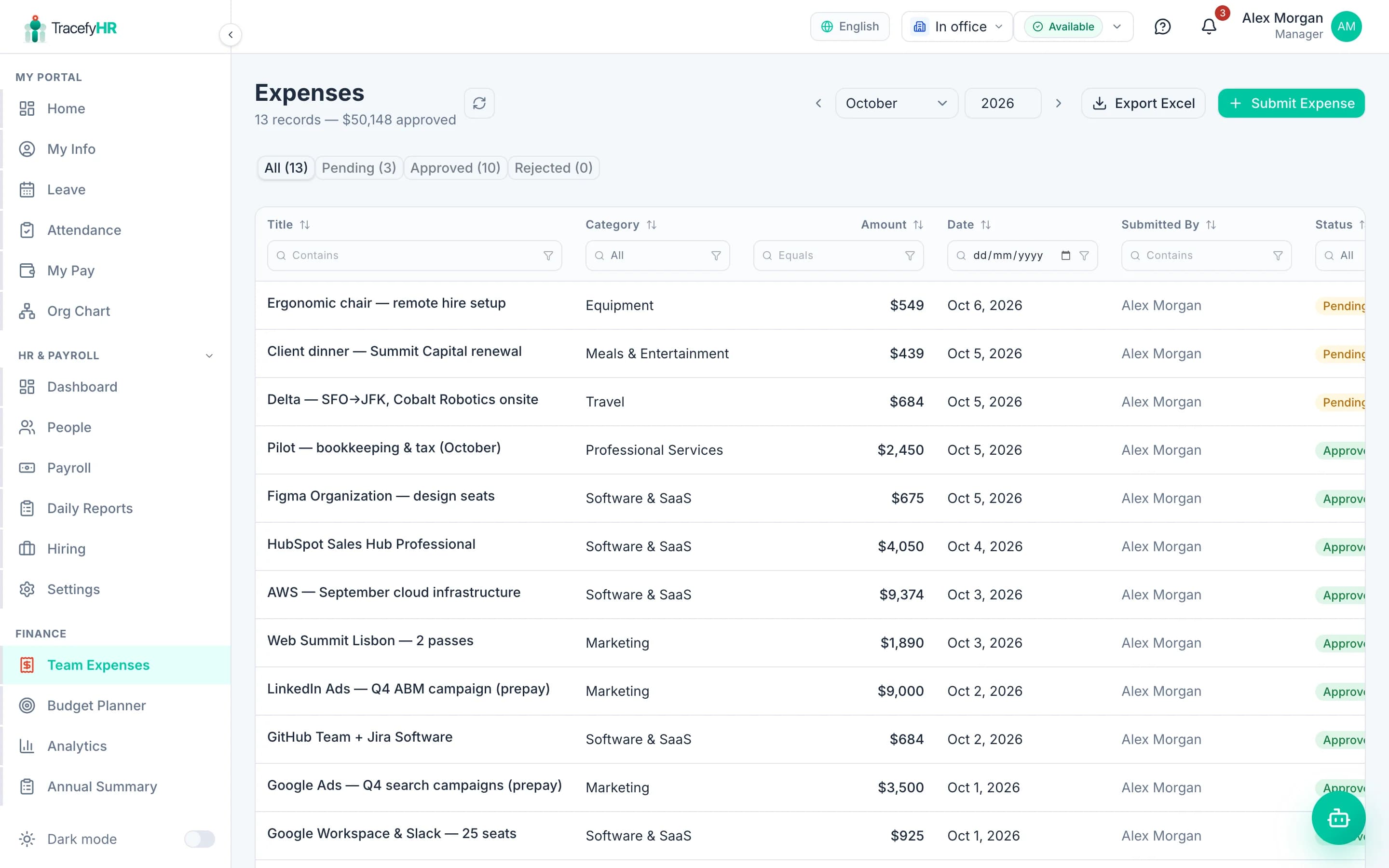
For many small businesses the two biggest costs are salaries and day-to-day spending, and they live in different places: payroll in one spreadsheet, receipts in a drawer, the budget in a third file. TracefyHR keeps company expenses next to payroll, so you can see what the business actually spends each month.
HR or a manager logs each expense with its receipt and category. A Manager approves it, every change is recorded in an audit log, and approved spending flows into the budget planner and the dashboard's revenue, expenses and profit view. Team expenses and the budget planner are on the Professional plan.
Each expense needs a receipt attached, along with its date, amount, category and, if it is reimbursable, the employee it belongs to.
Start with common categories such as rent, utilities, internet, supplies and transport, and add your own.
Expenses logged by HR wait for a Manager to approve or reject. A Manager's own entries are approved as they are logged.
Every create, edit and decision is recorded, so you can see who changed what and when.
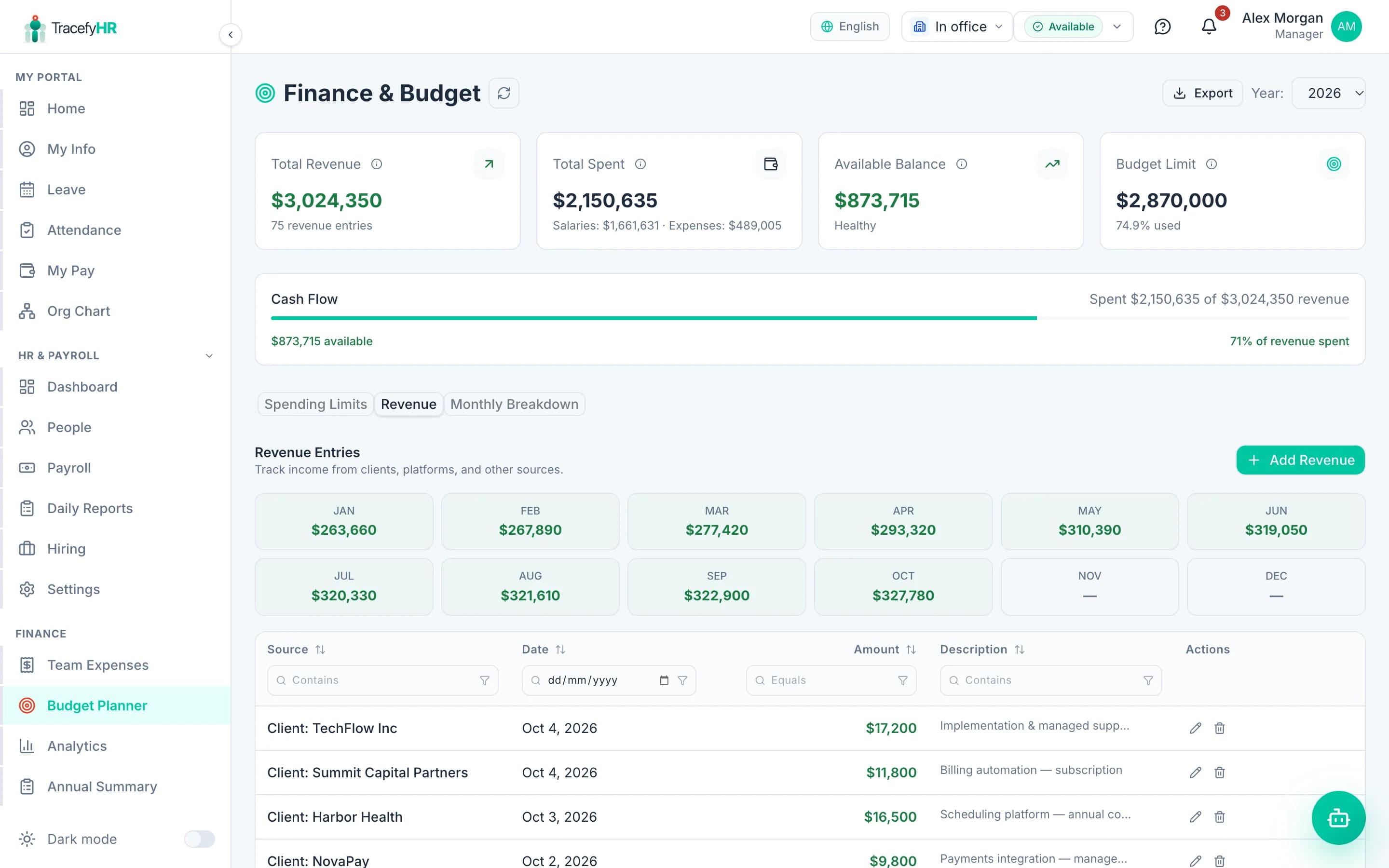
Set yearly limits for salaries and expenses. Actual spending fills in from finalized payroll and approved expenses, with near-limit and over-budget flags.
Log revenue by client and see revenue, expenses, net profit and margin for any month, plus an annual summary exported to Excel.
Add the amount, date and category, and attach the receipt.
A Manager approves or rejects with one click.
Approved expenses update the budget planner, analytics and dashboard.
Export expenses to Excel for your accountant.
Length 1:14See how TracefyHR Team Expenses works: log an expense with its receipt, approve or reject it in one click, export any month to Excel, and update your budget.
For managers and HR
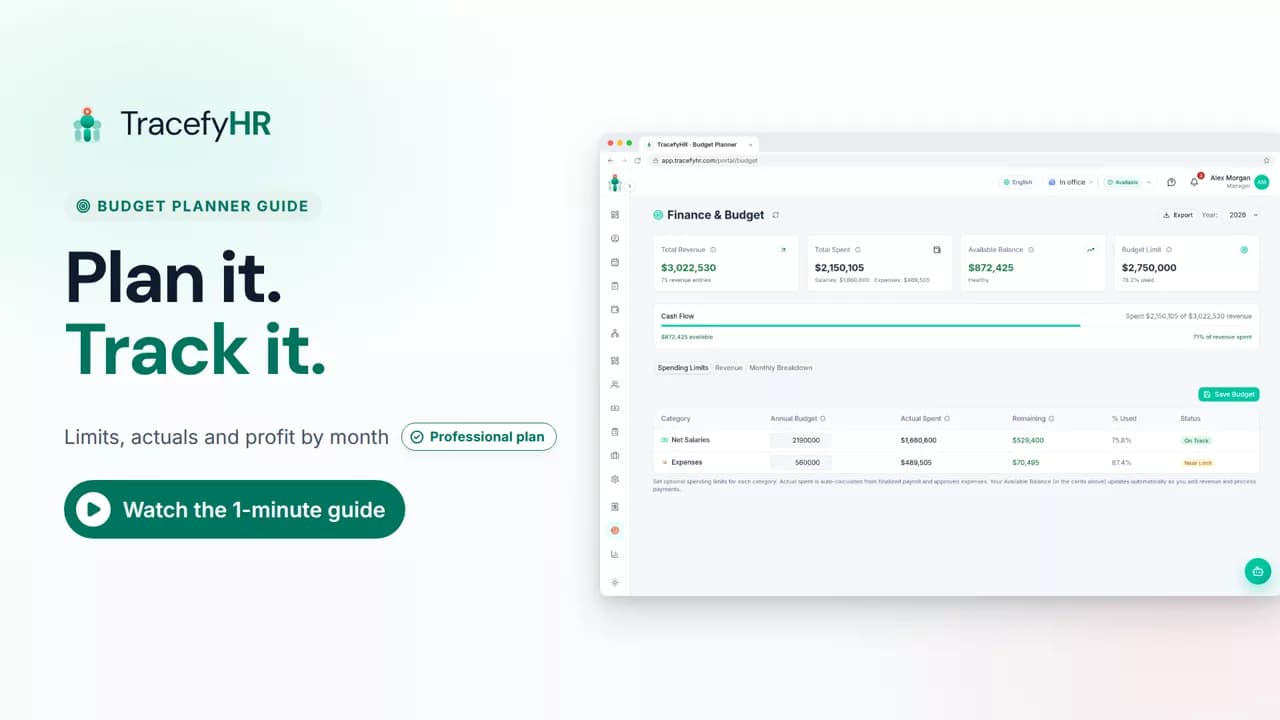 Length 0:58
See how TracefyHR Budget Planner works: set yearly spending limits, watch actual spending fill in from payroll and expenses, and log revenue from each client.
For managers
Team expenses, the budget planner and finance analytics are included in Professional at $49 a month for up to 50 employees (Business: $99 for up to 150), alongside payroll, leave, attendance and hiring. There are no per-user fees for expense approvers.
Starter
$20/mo
Up to 15 employees
Professional
$49/mo
Up to 50 employees
Business
$99/mo
Up to 150 employees
Enterprise
From $199/mo
150+ employees, SSO, SLA
Annual billing saves 20%. Outgrow a plan and you move up to the next one; there is never a per-employee fee. AI features run on pay-as-you-go credits. Full pricing
Not today. In TracefyHR, HR users and Managers record expenses, including reimbursable ones linked to a specific employee. If you need employees to submit claims, you can build a claim form with Forge AI.
Yes. Every expense needs a receipt attached, which keeps your records ready for your accountant.
Expenses logged by HR wait for a Manager to approve or reject them. A Manager's own entries are approved automatically. Every action is kept in an audit log.
You set yearly limits for net salaries and expenses. Actual spending fills in from finalized payroll and approved expenses, and a budget is flagged when it passes 80% and again when it goes over.
Team expenses, the budget planner and analytics are on Professional ($49 a month for up to 50 employees), Business ($99 for up to 150) and Enterprise.
Yes. Export any month's expenses to Excel, and export the annual summary from Analytics.
Set up in about 15 minutes. Import your team from Excel, and your 30-day trial starts without a credit card.