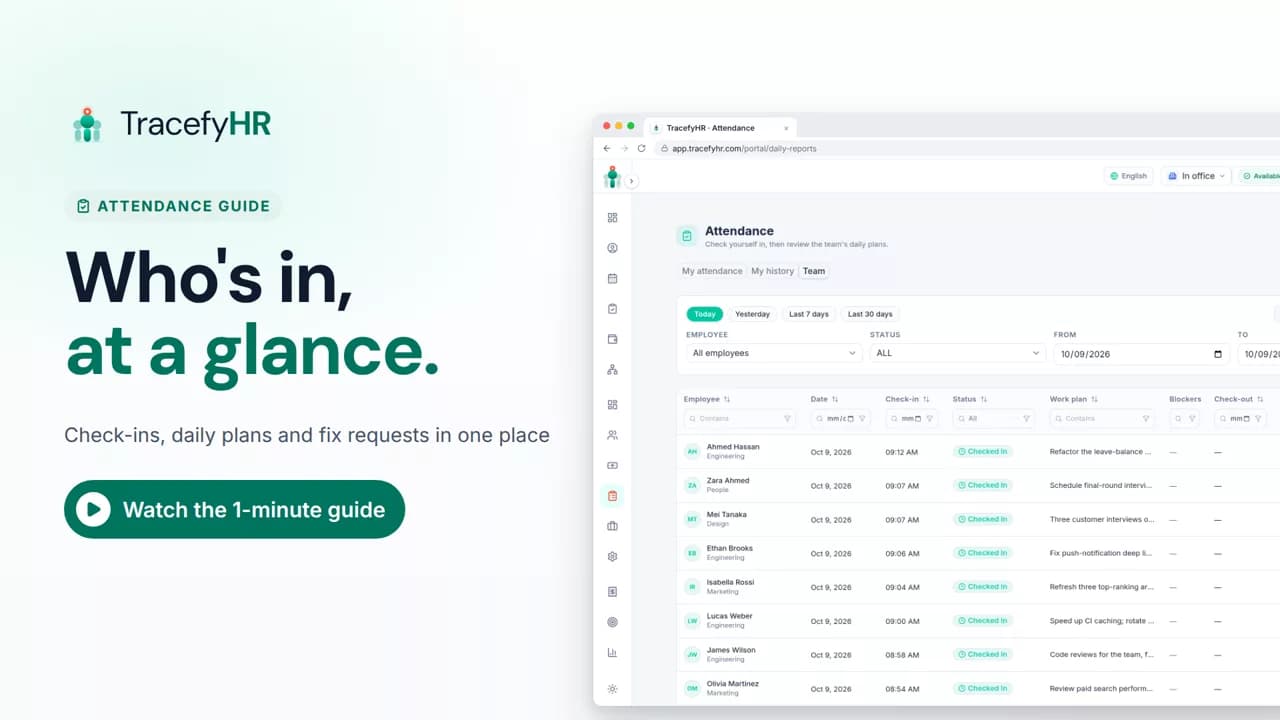
 Length 1:14
Attendance & daily reports
See how TracefyHR attendance works: staff check in on the web or mobile app with a daily plan, and managers see who is in, approve fixes and export to Excel.
For managers, HR and employees
Staff check in from the web or their phone, you see who is in and who is missing, and the month exports to Excel. No time clock to buy.
30-day free trial · No credit card required · Flat from $20/month
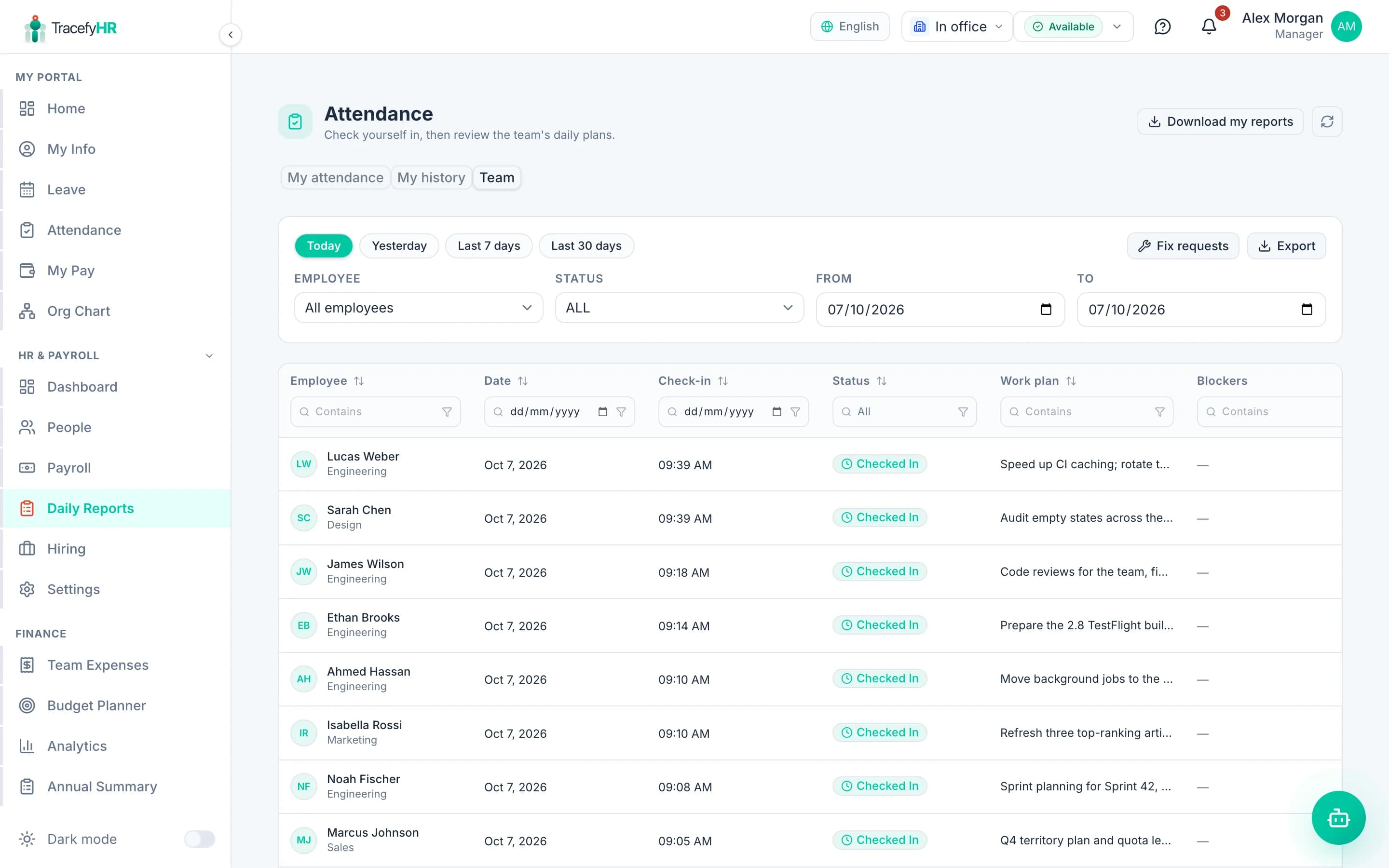
Paper sign-in sheets and spreadsheet trackers break the same way: someone forgets to sign out, a correction gets made in pen, and at month end nobody can say which hours are right. TracefyHR attendance tracking records each check-in and check-out with its time and location, in one record whether staff use a laptop or the mobile app.
Employees check in from the web portal or the free iPhone and Android app. The app records where they were at that moment and works without signal, syncing the punch when the phone reconnects. Managers see who is in, who has not checked in, and who forgot to check out, and they approve corrections instead of editing times by hand.
One-tap check-in and check-out from the browser or the TracefyHR app, with a daily record for every person.
The app records location and address at the moment of check-in and check-out. Nothing is tracked in the background between punches.
On a site with no signal, the app queues the check-in and syncs it when the phone reconnects.
Several punches a day are fine. TracefyHR totals worked time and break time, and closes a forgotten check-out as missed so you can follow up.
Set fixed or flexible schedules with start and end times, work days, grace minutes, time zone and overnight shifts. Staff who miss a check-in or check-out get a reminder.
An employee who forgot to punch asks for a correction, and a Manager approves or rejects it. Every change is on record.
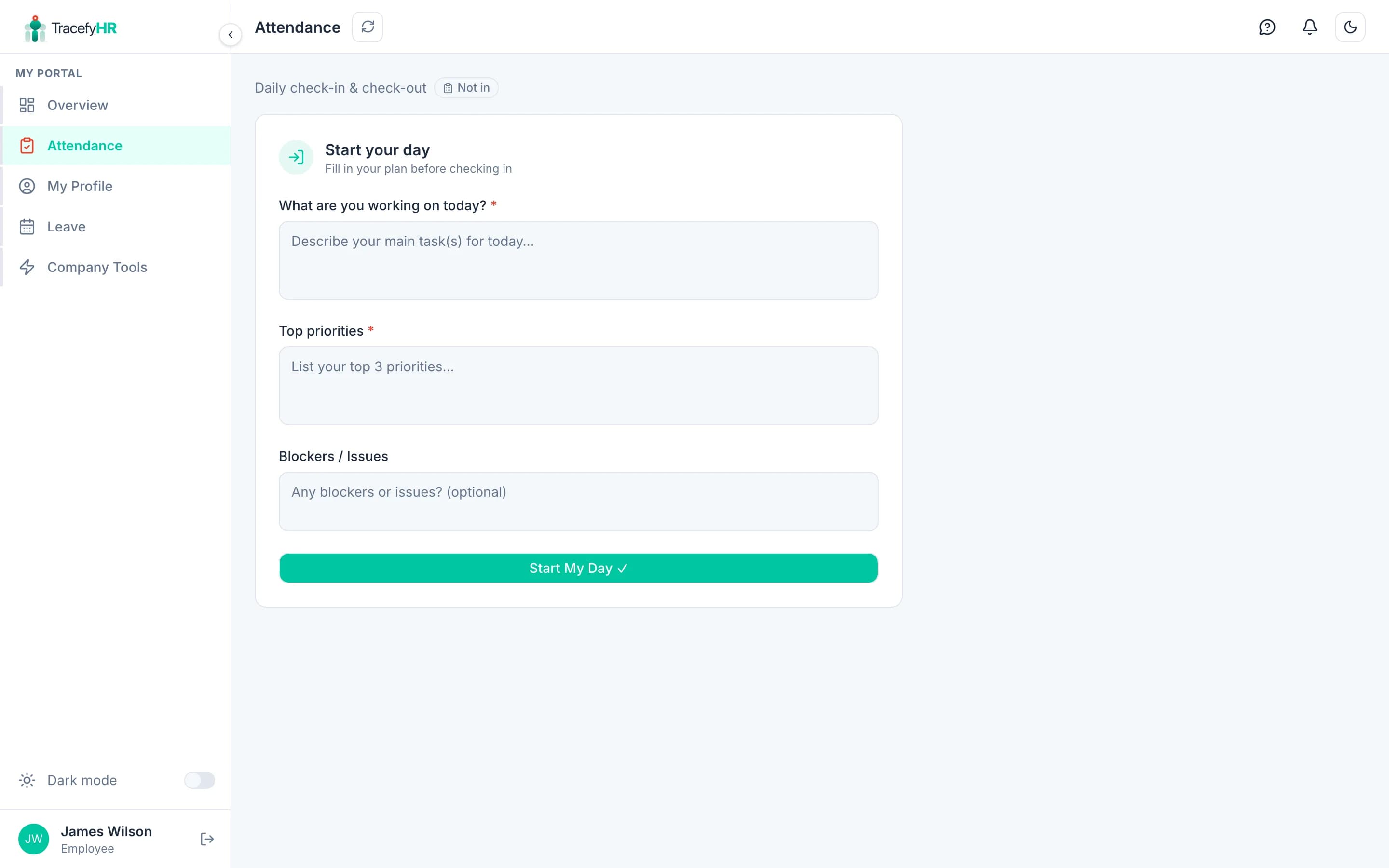
At check-in staff can add their plan and priorities for the day, and at check-out their notes, which gives managers a daily stand-up without the meeting.
Export attendance to Excel or CSV, or have department reports emailed daily or weekly.
Create a schedule for each pattern your team works, then assign it to people.
Employees check in on the web or in the app and add their plan for the day. Their location is recorded with the punch.
Managers see who is in, who has not checked in yet and who has not checked out. Reminders go out automatically.
Approve correction requests, then export the month to Excel or CSV for payroll.
Length 1:14See how TracefyHR attendance works: staff check in on the web or mobile app with a daily plan, and managers see who is in, approve fixes and export to Excel.
For managers, HR and employees
Standalone time and attendance apps usually charge per user per month, which adds up fast for hourly and field teams. Attendance is part of every TracefyHR plan, with the employee app free to download, so a 40-person crew pays one flat $49 a month on Professional, not a fee per worker.
Starter
$20/mo
Up to 15 employees
Professional
$49/mo
Up to 50 employees
Business
$99/mo
Up to 150 employees
Enterprise
From $199/mo
150+ employees, SSO, SLA
Annual billing saves 20%. Outgrow a plan and you move up to the next one; there is never a per-employee fee. AI features run on pay-as-you-go credits. Full pricing
Yes. The free TracefyHR app for iPhone and Android has one-tap check-in and check-out, and it works offline: punches are saved on the phone and synced when it reconnects.
No. Location is recorded only at the moment someone checks in or out. Nothing is tracked in the background between punches.
Not today. TracefyHR records the location and address of each punch so you can review it, but it does not block check-ins outside a set area.
They get a reminder. If the day still ends without a check-out, it is closed as a missed check-out, and the employee can request a correction for a Manager to approve.
Yes. Export attendance to Excel or CSV for any period, or set up daily or weekly department reports by email.
It is included in every plan: Starter is $20 a month for up to 15 employees, Professional is $49 for up to 50 and Business is $99 for up to 150, with no per-employee fees and a 30-day free trial.
Set up in about 15 minutes. Import your team from Excel, and your 30-day trial starts without a credit card.