Daily reports
See who checked in, what they're working on, blockers they flagged, and spot trends — the HR / Manager view of TracefyHR daily reports.
Daily Reports is HR's window into the team's day. Every employee check-in and check-out — with the work plan, priorities, blockers, and end-of-day notes they wrote — flows here in real time.
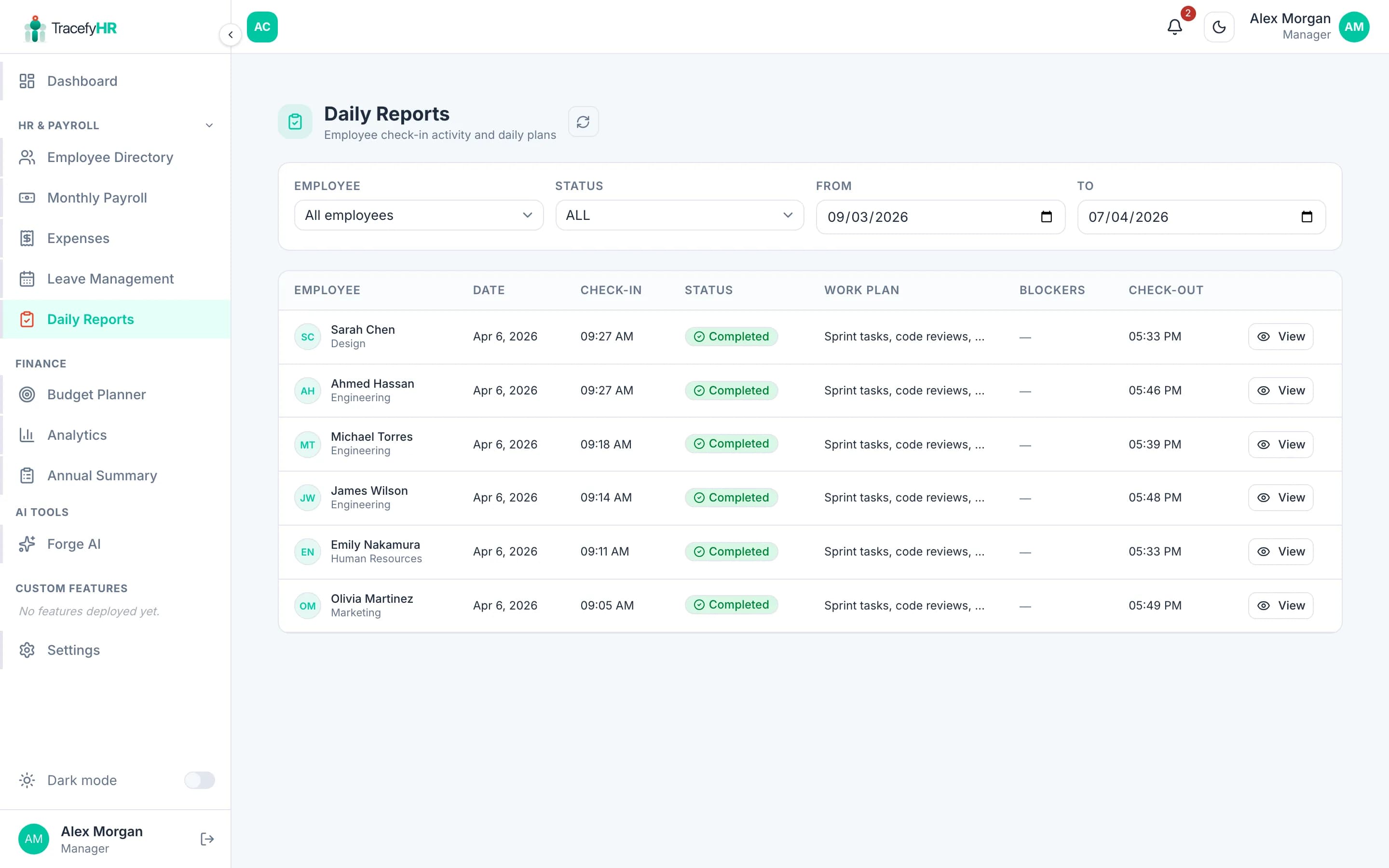
What you'll see
Each row in the list is one employee's day:
| Column | What it shows |
|---|---|
| Employee | Name and avatar |
| Date | The work day |
| Status | Not checked in / Checked in / Day completed |
| Check-in time | Server-stamped, can't be edited |
| Work plan | What they wrote at start of day |
| Check-out time | Server-stamped |
| End-of-day notes | What they wrote at wrap-up |
Click any row for the full detail.
Filter and search
Use the controls at the top to narrow down:
- Employee — pick one or many
- Date range — today, this week, this month, custom
- Status — only show people who didn't check in, or those still checked in, etc.
- Department — filter by team
Spot patterns
A few things HR typically looks at:
- Who hasn't checked in for several days — possible attendance issue or unrecorded leave
- People who consistently note blockers — useful for 1:1 conversations
- End-of-day notes that mention recurring problems — process or tooling gaps
Don't use this for surveillance. Daily reports work best when employees know their notes are read constructively. The data is meant to spot real issues — not micromanage.
Export
Click Export Excel to download whatever the filter currently shows. Includes all columns, with one row per check-in.
Common questions
Why does an employee show as "Not checked in" today? Three possible reasons:
- They genuinely haven't checked in yet (it's still morning)
- They forgot — a friendly nudge usually fixes it
- They're on approved leave — check the Leave page
Can I correct a check-in time? No — times are server-stamped on purpose. If someone forgot to check in, ask them to do it now and add a note in their work plan.
Can the employee see what I wrote about their daily report? You don't write notes inside daily reports — they're read-only for everyone except the employee who created them. If you have feedback, raise it in your 1:1 or via email.
Does TracefyHR send a reminder if someone forgets to check in? Yes, by default. You can adjust the reminder time in Settings → Notification Preferences.
Related
Last updated 2026-05-05