Check in and check out
Start and wrap up your work day in TracefyHR with the My Attendance card — server-stamped times, work plan, end-of-day notes, no manual fudging.
TracefyHR uses a simple two-tap flow for daily attendance: Check In at the start of your day, Check Out at the end. Times are stamped by the server — you can't fudge them, and your manager doesn't have to.
Check in
Open the portal at your workspace login URL, then look at the My Attendance card on your dashboard. Click the Start my day CTA.
Fill in three short fields:
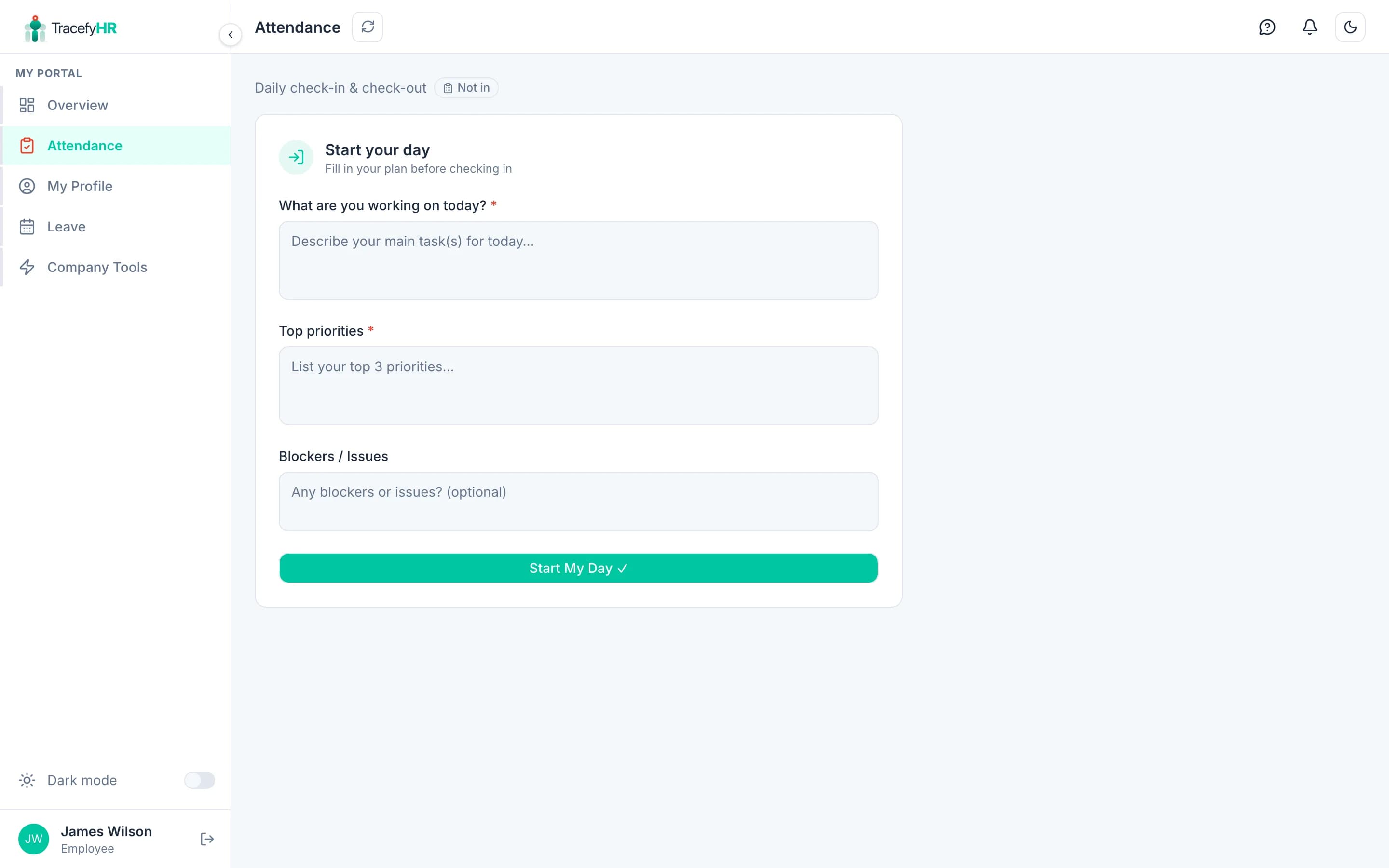
- Work Plan — what you're focusing on today
- Top Priorities — 1–3 bullets
- Blockers — anything in your way (leave blank if nothing)
These don't need to be essays — a sentence each is fine.
Click Start My Day. The pill turns green and the time is recorded automatically.
Forgot to check in? No worries — check in whenever you remember. The time is recorded as the moment you submit. Your manager will see the actual time.
Check out
Click Check out on the My Attendance card.
Fill in End of Day Notes — what you got done, what's still open. Again, short is fine.
Click Checkout & Wrap Up. The pill turns grey, and your day is wrapped.
What your manager sees
Your check-ins and check-outs flow into the Daily Reports page. Your HR / Manager can:
- See who's currently checked in
- Read your work plan and end-of-day notes
- Filter by date, employee, or status
- Spot patterns over time
They cannot edit your check-in/check-out times — those are server-stamped.
Common questions
Can I check in from my phone? Yes. The portal works on any browser.
What if I forget to check out? Your day stays "Checked in" until you do. Just check out the next time you log in. If you genuinely forgot, leave a note in your check-out summary.
Can I edit my work plan after checking in? Not from the same screen, but you can update your End of Day Notes at check-out time to reflect what actually happened.
Does TracefyHR track my location or screen? No. There's no GPS, screenshot, or activity tracking. Check-in/out is purely time-stamps and the notes you write yourself.
Related
- Requesting time off — how to take a day off properly
- Daily Reports (HR view) — what your manager sees
Last updated 2026-05-05