Tracking expenses
Submit and route expense claims, attach receipts, and feed approved items into payroll and analytics — the HR expenses workflow in TracefyHR.
TracefyHR's expenses module covers two flows:
- Employee-submitted — someone bought lunch for a client, wants reimbursement
- Company-direct — bills, software subscriptions, anything the company pays for itself
HR keeps both organised, attaches receipts, and pushes approved items into payroll or analytics.
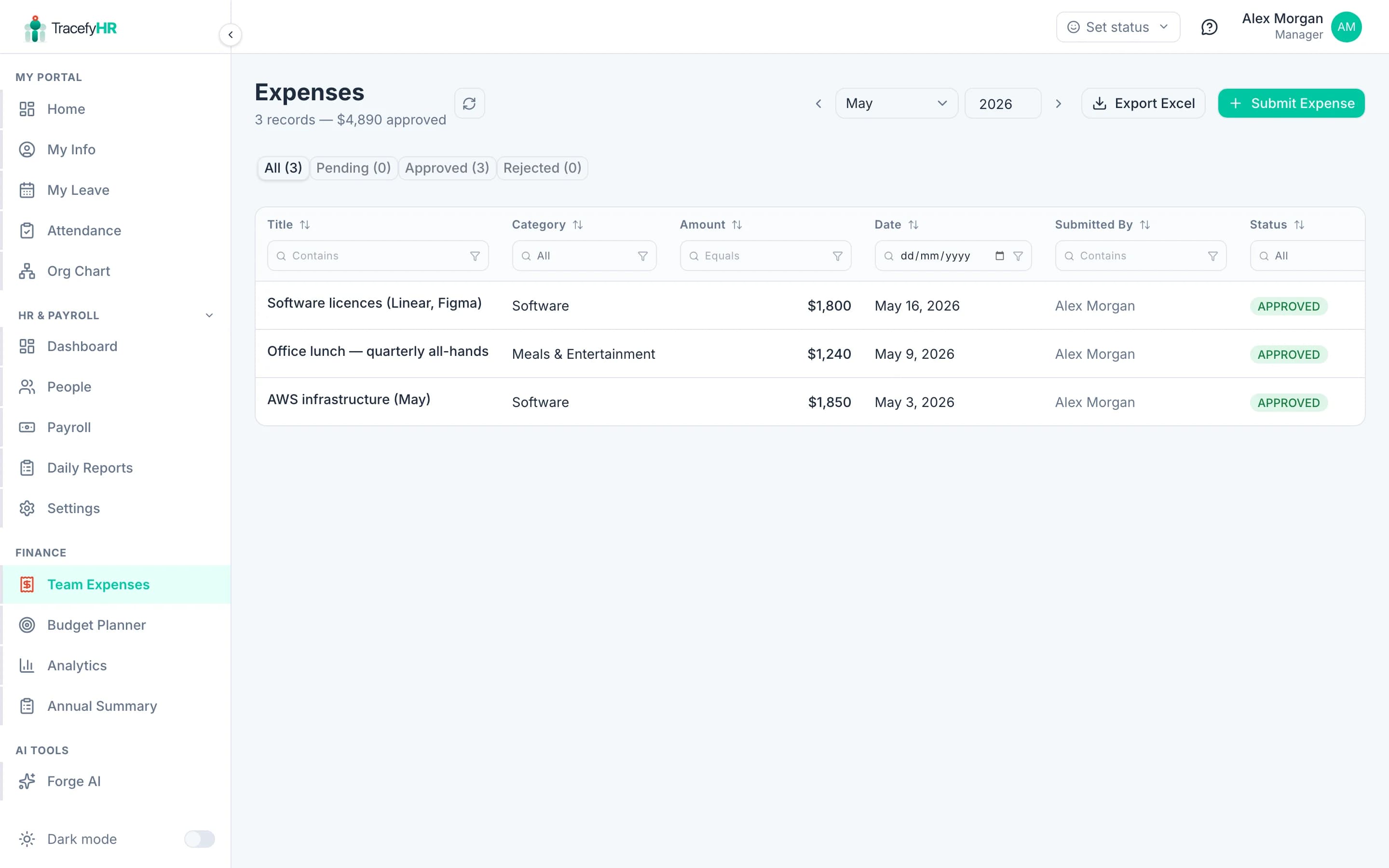
Click Add Expense and you'll see this form:
Submit an expense
Open Money → Expenses in the sidebar. Click Submit Expense.
Fill in:
- Title — short label (e.g. "Client lunch — Acme deal")
- Amount
- Date — when the expense happened
- Category — pick from dropdown (Travel, Software, Marketing, etc.). If yours isn't listed, ask your Manager to add it.
- Linked employee — for reimbursements; leave blank for company-direct expenses
- Receipt — upload a JPG, PNG, or PDF (up to 10 MB)
- Notes — context for the approver
Click Submit. It lands in the Pending queue.
Approve or reject
Approval lives with Managers — HR can submit and edit, but only Managers can approve or reject. This is intentional: separation of duties.
When a Manager approves a reimbursement, the amount automatically appears in that employee's next payroll under Individual Expenses. You don't need to copy anything.
Expense categories
Categories are managed in Settings → Expense Categories (Manager only). The default set covers most cases:
- Travel
- Software
- Marketing
- Office supplies
- Meals & entertainment
- Professional services
- Utilities
- Other
Managers can add custom categories. They can't delete a category that has expenses in it — archive it instead.
Filter and export
The expense list supports filtering by:
- Date range
- Category
- Status (Pending / Approved / Rejected)
- Linked employee
Click Export Excel to download whatever's currently filtered. Useful for monthly reconciliation with your accounting software.
Common questions
The receipt is too big to upload. Compress it to under 10 MB. For very large PDFs, split into smaller files and upload as separate expenses with the same title.
Can I edit an approved expense? Once approved, the row is locked. If you spot an error, ask a Manager to reject it (with a reason like "amount needed correction"), then submit a new one.
An expense was rejected — does the employee see the reason? Yes — it's emailed to the linked employee and shows on their portal under Company Tools.
Where do approved company-direct expenses go? Into the analytics dashboard's Expense Breakdown chart and the budget tracker. They're also exported with the rest of the expense list.
Related
- Running monthly payroll — where reimbursements end up
- The Budget Planner (Manager) — how expenses feed into budgets
- Analytics and reports (Manager)
Last updated 2026-05-05