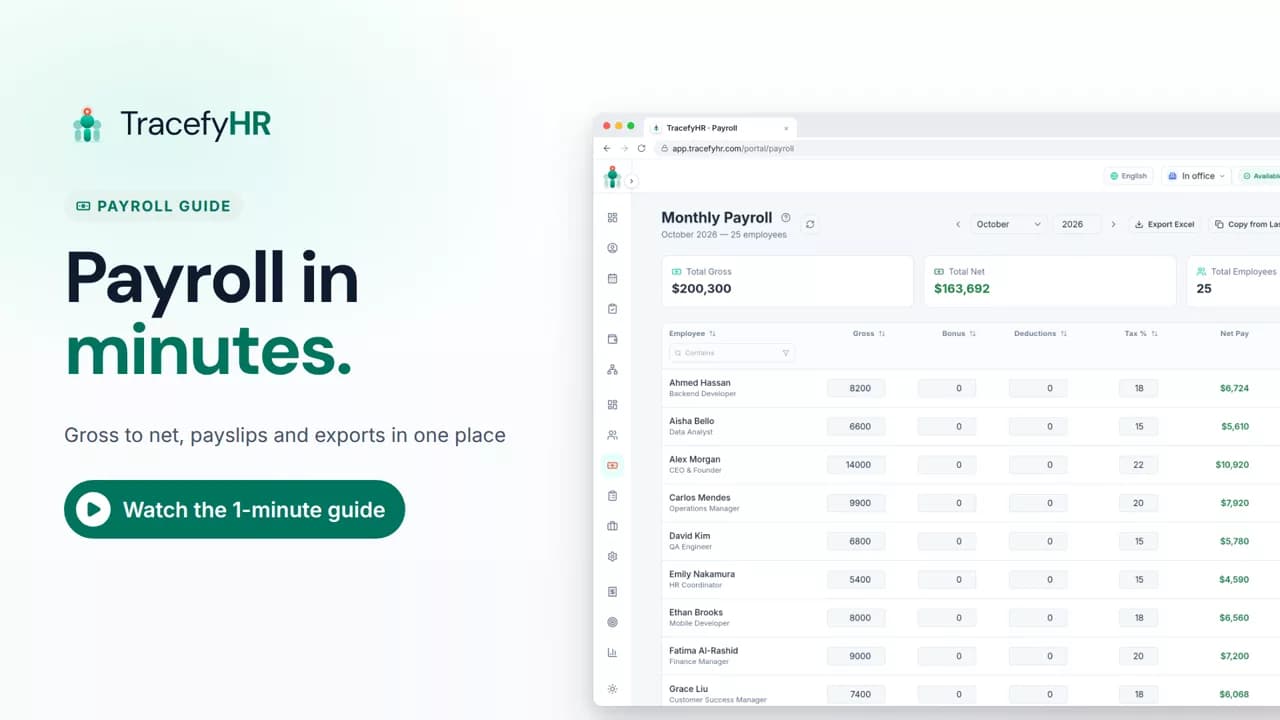
 Length 1:13
Payroll in minutes, not days
Watch how TracefyHR payroll works: copy last month, add a bonus and see net pay update live, finalize to lock the month, and give everyone a PDF payslip.
For managers and HR
Budget Planner sets yearly spending limits, then tracks what you really spend against them. In this short video actual spending fills in from payroll and approved expenses, each line shows if it's on track, near the limit or over budget, and revenue from each client shows your profit month by month.
Prefer reading?
The Budget Planner
The same task in the user guide, step by step with screenshots.
Open the articleThe full narration of the video. Select a time to jump to that moment.
0:01Is this year's spending on track? Or will you only find out at year end?
0:07Budget Planner sets yearly spending limits, then tracks what you really spend against them.
It fills in on its own from your payroll and approved team expenses, so nobody types it in. TracefyHR works out what's spent, what's left and the percentage used.
A line shows Near Limit once more than 80% of its yearly limit is used, and Over Budget once spending goes past the limit. Below that it shows On Track.
Yes. Switch the year, set new limits and click Save Budget. Limits are saved separately for each year.
Budget Planner is part of the Professional plan, $49 a month for up to 250 employees. Every plan starts with a 30-day free trial and no credit card is required.
Length 1:13Watch how TracefyHR payroll works: copy last month, add a bonus and see net pay update live, finalize to lock the month, and give everyone a PDF payslip.
For managers and HR
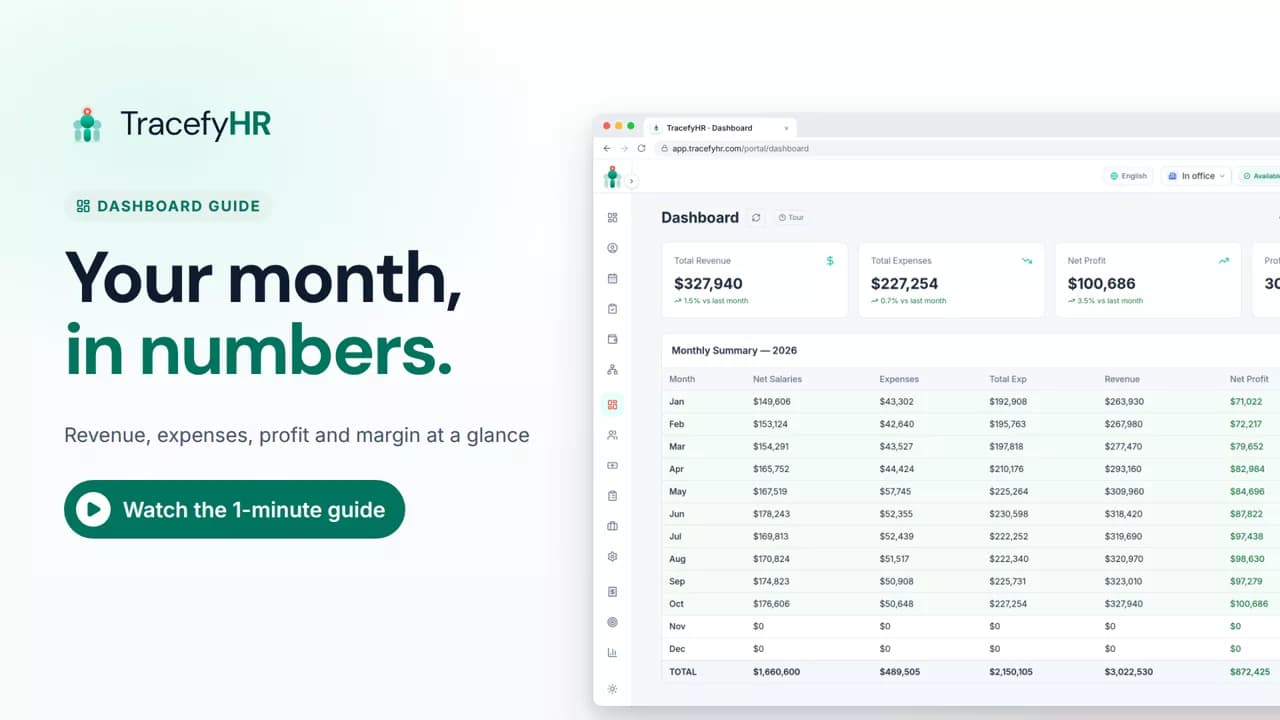 Length 0:51
See how the TracefyHR Dashboard shows revenue, expenses, net profit and margin for any month, built from payroll and approved expenses, with a year summary.
For managers
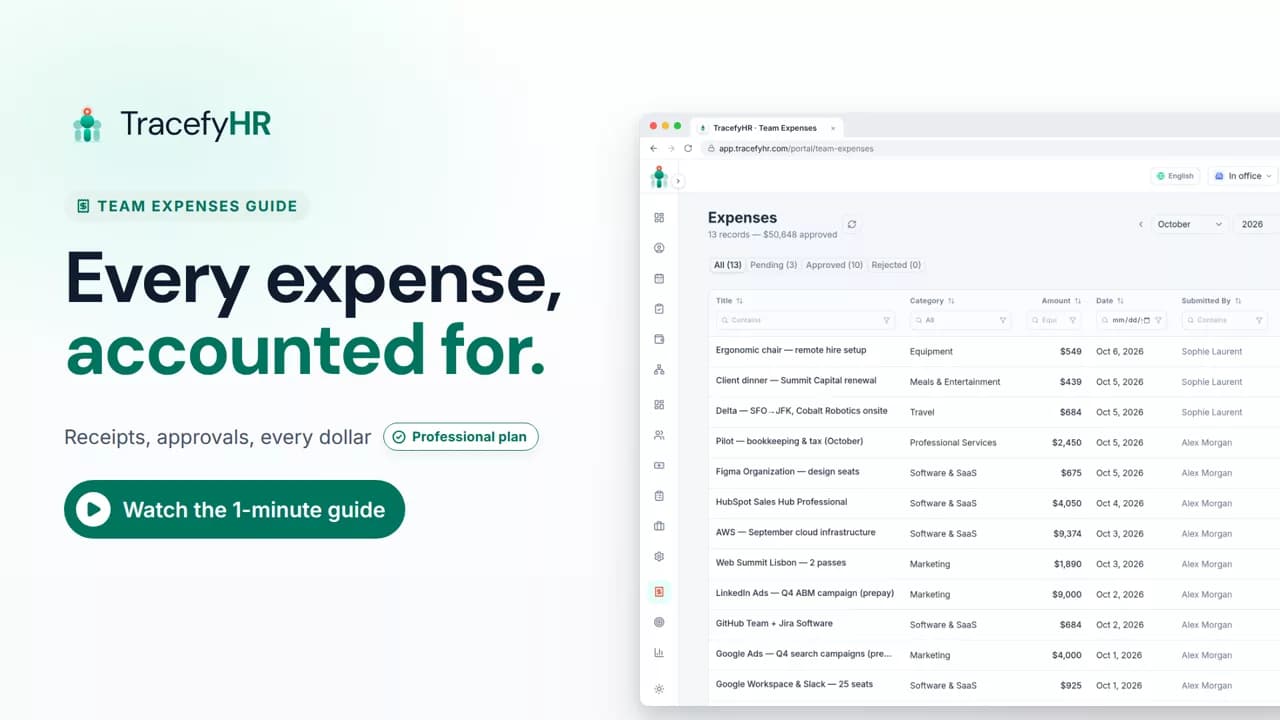 Length 1:14
See how TracefyHR Team Expenses works: log an expense with its receipt, approve or reject it in one click, export any month to Excel, and update your budget.
For managers and HR
Set up your company, invite your team, and see if TracefyHR fits. Free for 30 days — no credit card required, cancel any time.