Running monthly payroll
Run monthly payroll in TracefyHR — copy last month, edit rows, attach Forge AI features, and hand off to a Manager to finalise.
Monthly payroll in TracefyHR is built to be repeatable. Most months, you copy last month's setup, tweak a few rows, save, and you're done. Finalising — which locks the month and feeds the data into analytics — is reserved for Managers.
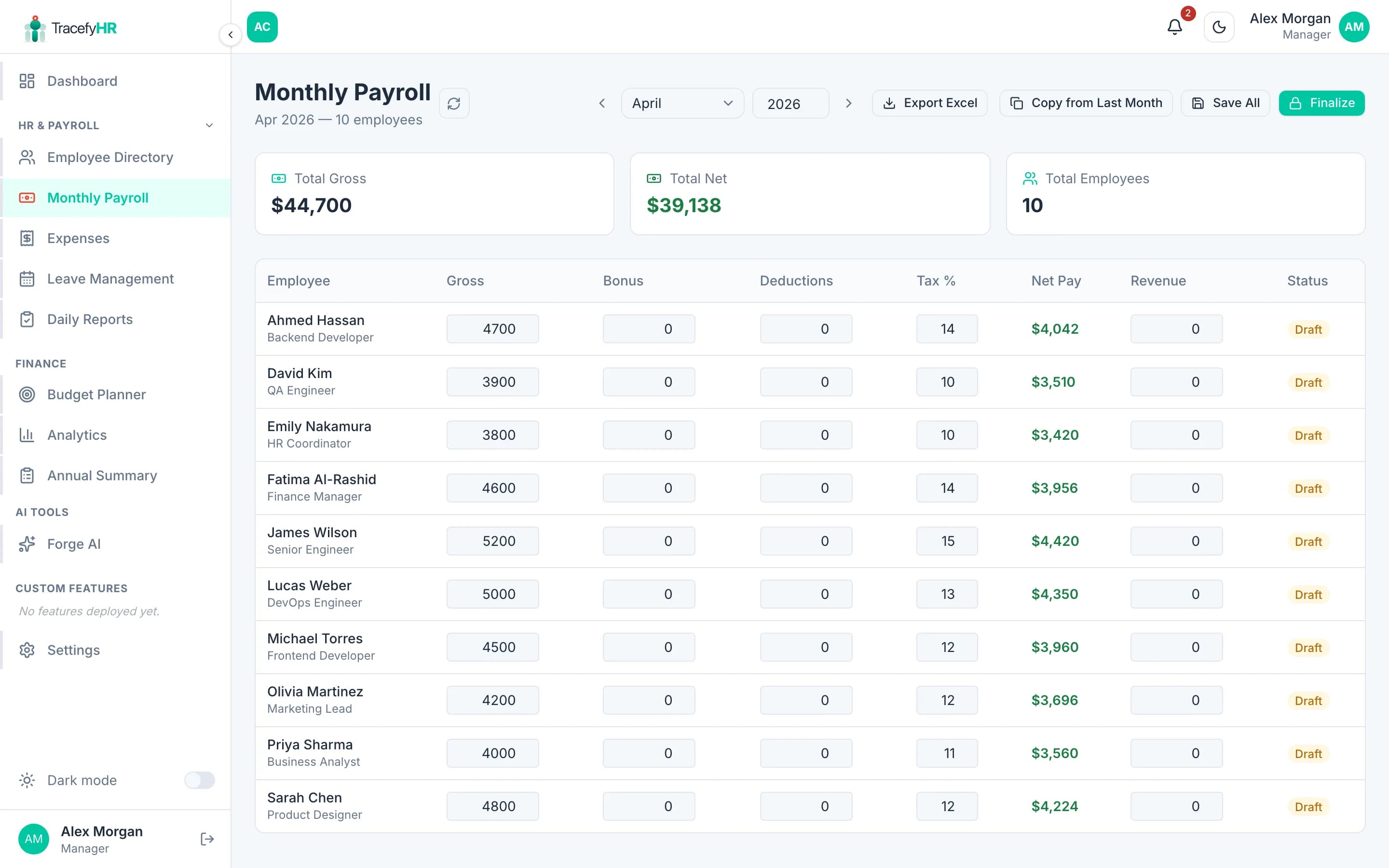
The flow
Open Money → Payroll in the sidebar.
Pick the month and year in the top-right picker. You can work on any month, past or future — but only active employees show up.
Copy from last month (the easiest path). Click Copy from Last Month and TracefyHR pulls forward base salary, tax %, and any recurring bonuses or deductions. New employees added since last month show up with empty bonus / deduction columns.
Edit any row. Click into a cell to change:
- Bonus — one-off payments
- Deductions — salary advances, fines, etc.
- Revenue Generated — for sales-incentive analytics (optional)
- Individual Expenses — work-related expenses to add back
Save All as often as you like — you can come back tomorrow and continue.
Hand off to your Manager. Only Managers can click Finalize, which locks the month, generates payslips for every employee, and feeds the totals into the analytics dashboard.
Approved Forge AI custom-feature claims (overtime, reimbursements, etc.) are automatically added to the right column for the right employee — you don't have to copy them by hand.
What HR can do
- Edit any cell on any row, any month — until it's finalised
- Add or remove rows
- Save partial work
- Export the current month to Excel any time
What HR can't do
- Finalize — locks the month so payslips are issued. Manager-only.
- Edit a finalised month — once locked, only Managers can unlock it (and unlocking is a deliberate, audited action).
Export to Excel
Click Export Excel in the top right. You get a workbook with one sheet per month, including all line items, totals, and your company logo. Useful for sharing with accountants or external auditors.
Common questions
An employee's salary changed mid-month — what now? Edit that row's base salary directly. If the change is permanent, also update it on their profile so it carries forward next month.
I forgot to add a bonus to last month and it's already finalised. Ask your Manager to unlock the month, or — better practice — add the bonus to the next month with a note in the bonus reason. The audit trail stays clean.
Why does an employee not appear in the payroll? They're either Archived (left the company) or their Hire date is set to a future month. Reactivate or fix the hire date in their profile.
Can I run payroll for one employee only? The screen always shows everyone, but you can filter by department or search by name to focus on one person. Export will respect the filter.
Related
- Adding employees
- Tracking expenses
- Analytics and reports (Manager) — where the totals end up
Last updated 2026-05-05