Company settings
Configure currency, tax, branding, leave types, expense categories, departments, and email templates — the Manager-only configuration room for TracefyHR.
Settings is the configuration room for your TracefyHR company. It's Manager-only by default. Each tab covers one concern:
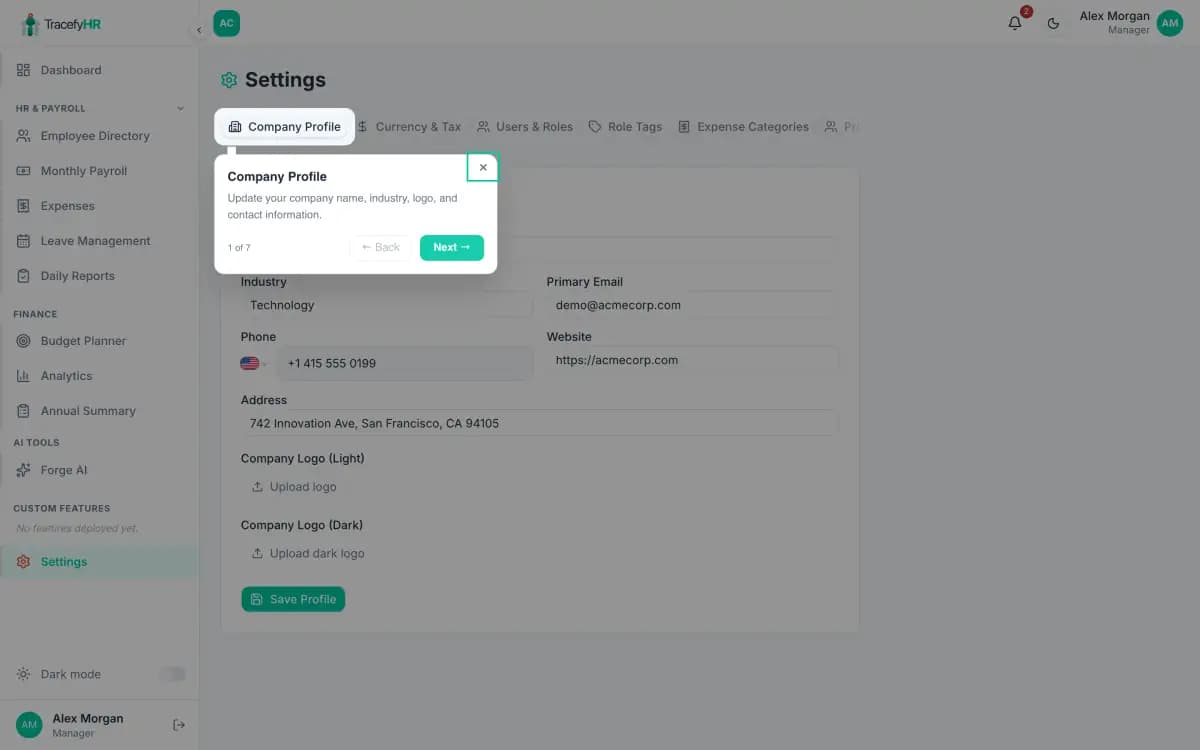
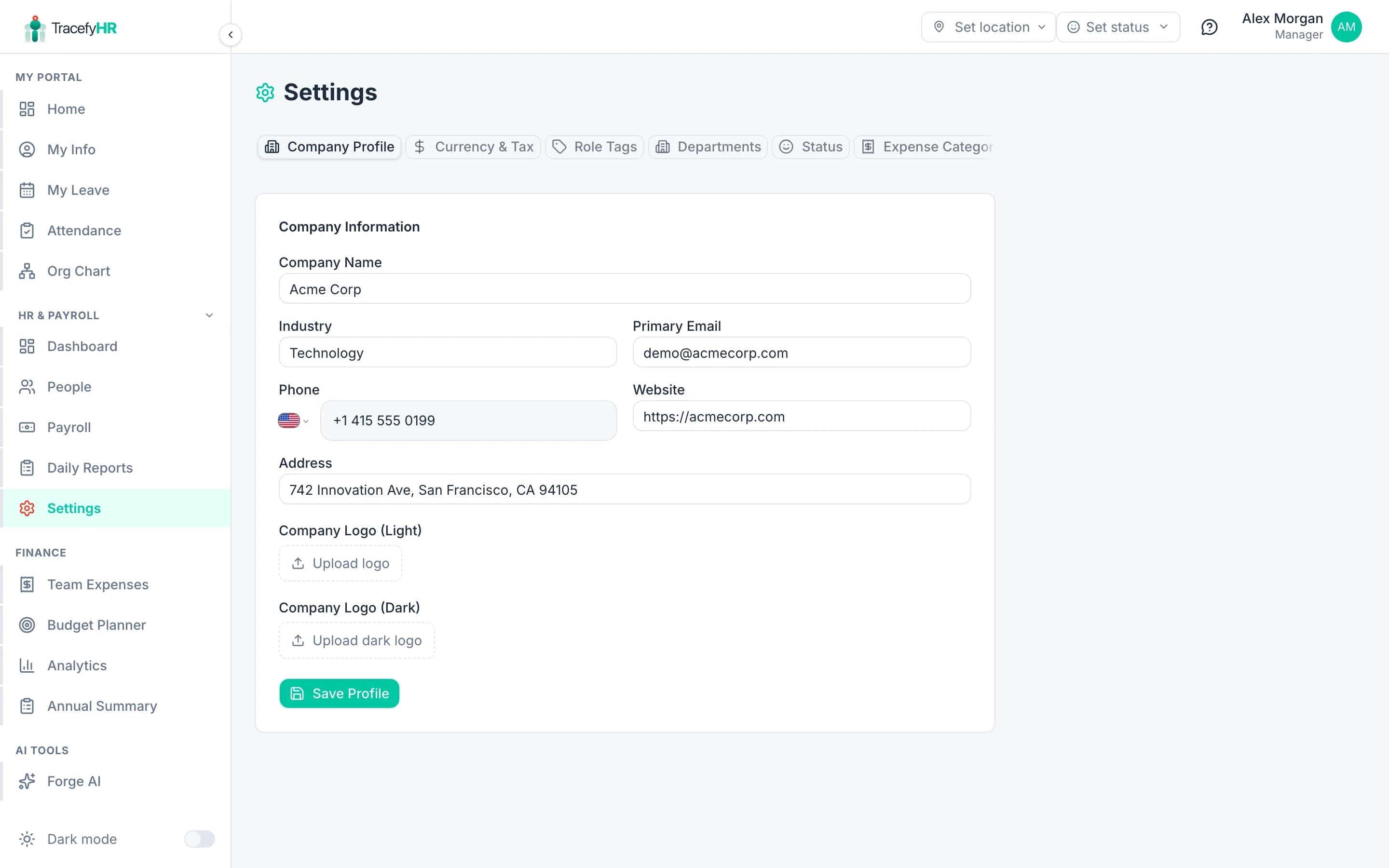
Company Profile
Basic company info that flows into payslips, emails, and the in-app header.
- Company name
- Industry — searchable dropdown
- Size, address, phone (with country code), email, website
- Logo upload — separate light-mode and dark-mode versions. Both are used: light on emails, dark on the in-app sidebar. Aim for SVG or 200×60 PNG with a transparent background.
Changes save instantly when you click Save profile.
Currency & Tax
Sets your money rules.
- Base currency — pick from 18 supported (SAR, USD, EUR, PKR, GBP, INR, AED, etc.). Changes the symbol on every screen. Doesn't convert existing data — pick this once, at setup.
- Tax label — what appears on payslips: VAT, Income Tax, Payroll Tax, etc.
- Default tax rate (%) — applied to every employee unless their profile overrides it.
Changing the base currency after you have data is not a conversion — it's a relabel. The numbers stay the same, only the symbol changes. If you really need to switch currencies, do it before going live.
Departments
The grouping tag for employees.
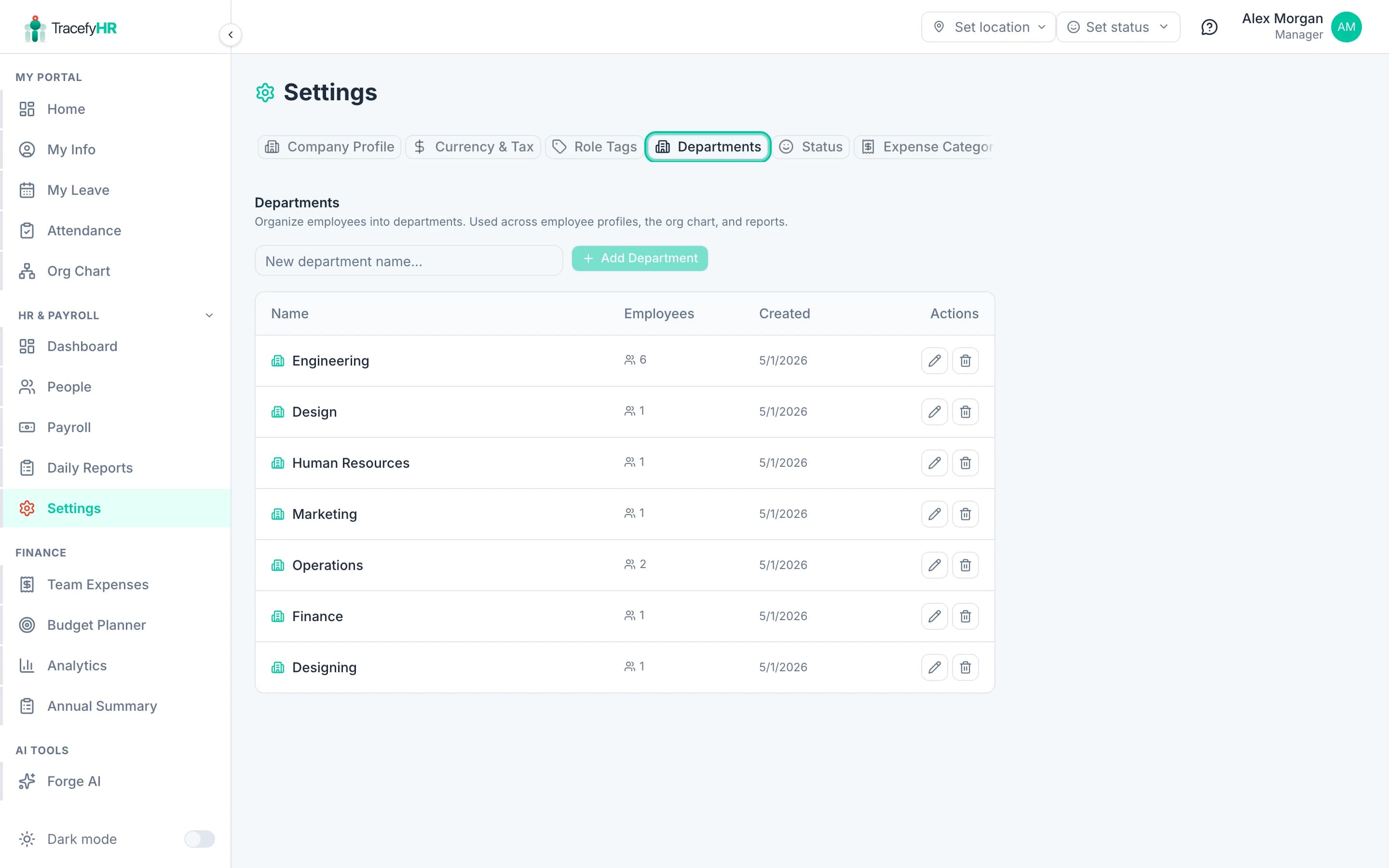
- Click Add department — give it a name and optional colour
- Drag to reorder (changes display order in dropdowns)
- Archive removes from selection but keeps existing assignments
Expense Categories
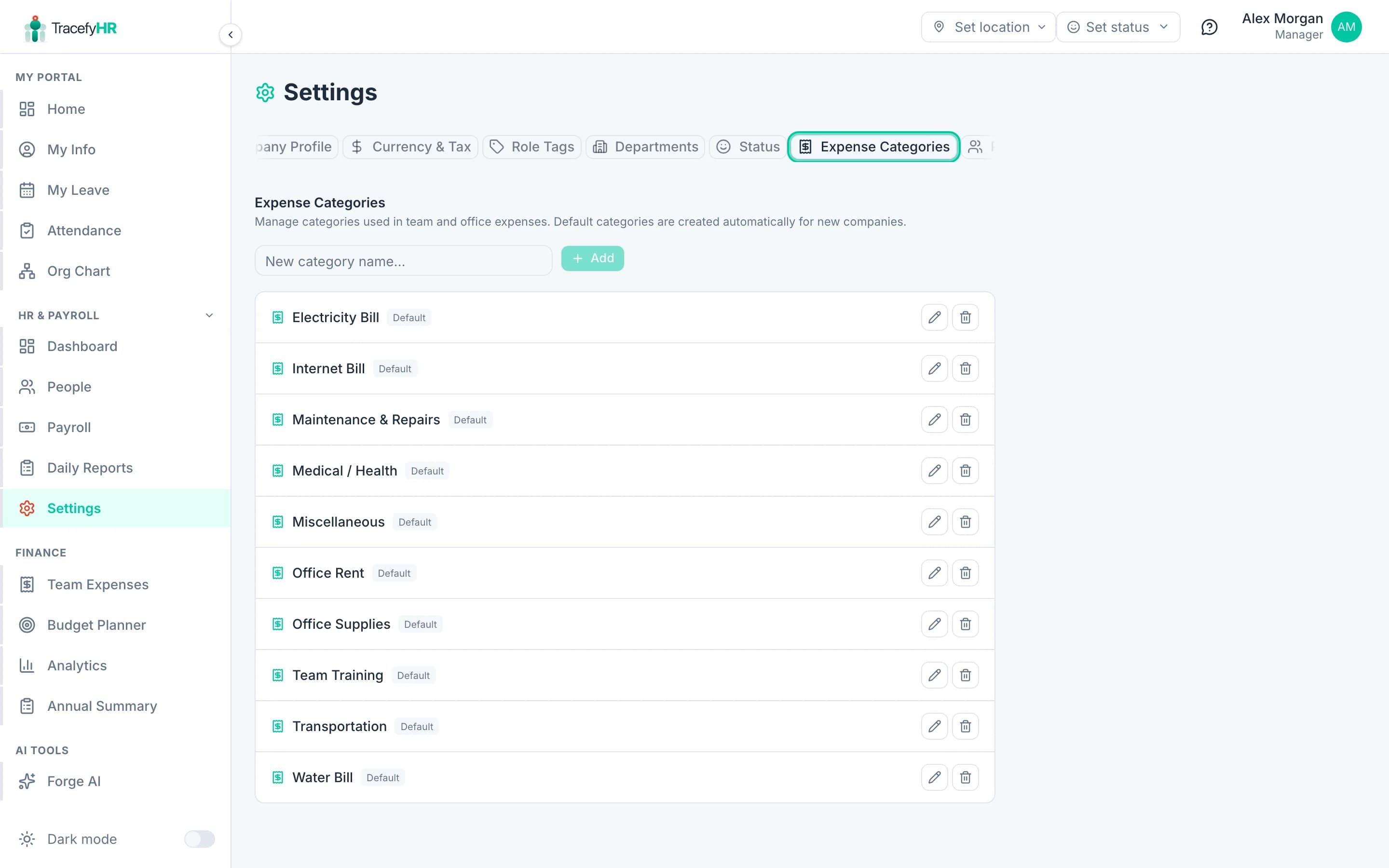
The dropdown options that show when HR or Manager submits an expense.
- Defaults: Travel, Software, Marketing, Office supplies, Meals & entertainment, Professional services, Utilities, Other
- Click Add category to create custom ones (e.g. R&D, Client gifts, Training)
- Categories with expenses can't be deleted — Archive hides them from the dropdown without losing history
Profile Fields
Customise what's on the employee profile — add custom tabs, sections, and fields (similar to BambooHR).
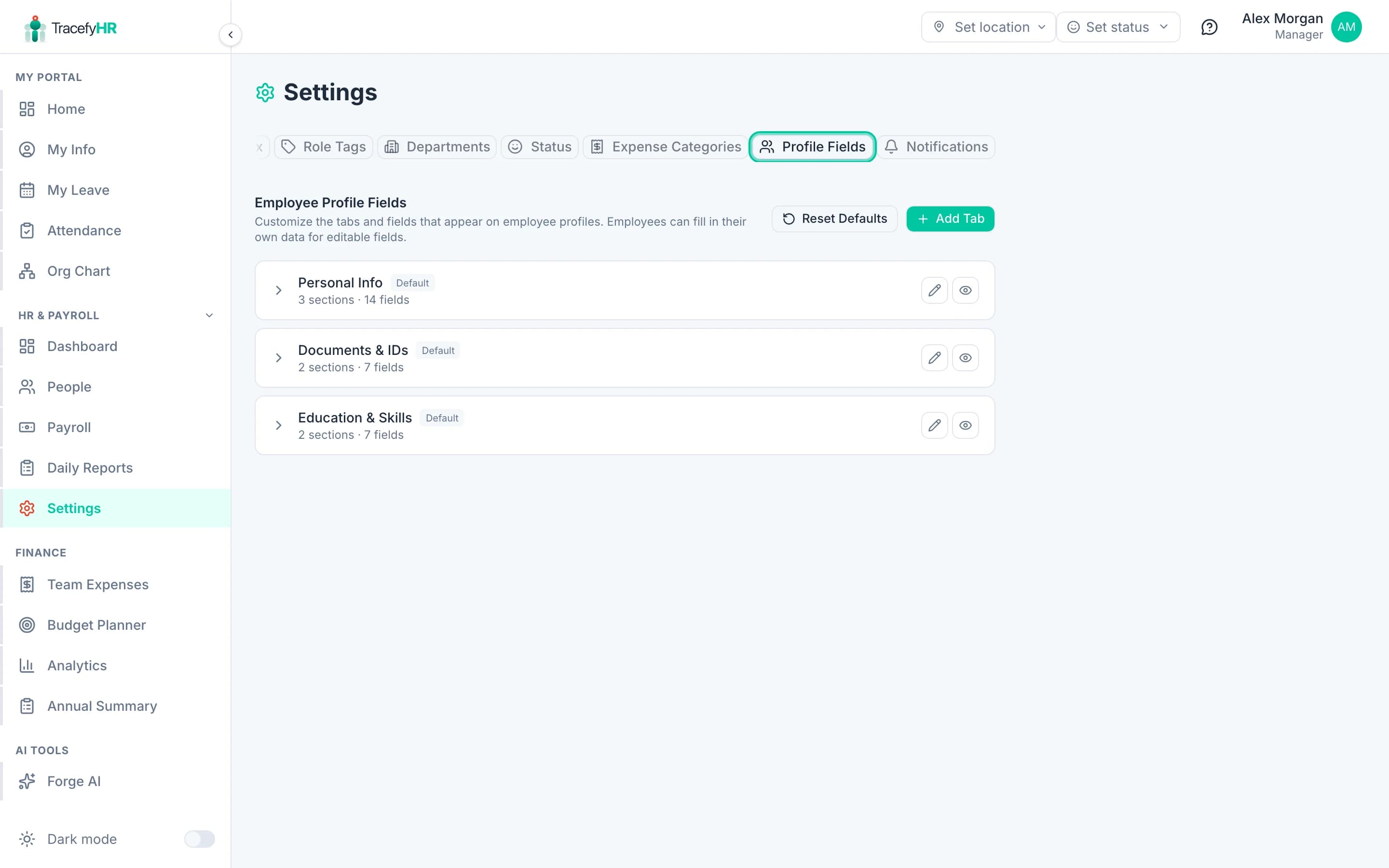
Use this for industry-specific data you need on every employee — e.g. license numbers for healthcare, certifications for engineering, or T-shirt size for HR fun.
Role Tags & Status
- Role Tags — colour-coded tags you can attach to employees (e.g. Founder, Mentor, On-call) for visual grouping in the org chart and directory.
- Status — the available "presence" statuses employees can pick (e.g. In office, Remote, On leave, Travelling).
Notifications
Toggle which automated emails TracefyHR sends — onboarding, leave decisions, expense decisions, payroll posts. You can also customise the wording per template here.
Where leave types live
Leave types aren't in Settings — they live on the Leave page → Leave Types tab. See Managing leave requests for the setup walkthrough.
Where login access (permissions) lives
Login access for HR/Manager users is configured on each employee's profile, not in a Settings tab. See Managing permissions.
Common questions
I changed the base currency and now everything looks wrong. The numbers didn't convert — only the symbol changed. Switch back to your original currency, ask support if you really need a one-off conversion.
I can't delete a leave type — why? It's used on existing leave requests. Archive it instead — employees can't request that type any more, but old records stay intact.
Where do I add country-specific public holidays? Not a setting — TracefyHR doesn't auto-block public holidays. Use a Forge AI feature called Holidays calendar if you need this; it's a 5-minute build.
Related
Last updated 2026-05-05